- Power Query Functions ( Part 1): Introduction to Optional Parameters
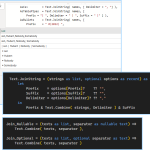 You can view the final .pq query here 3 Main Methods to Declare Optional Parameters There’s 3 main ways you can declare optional parameters in your own functions. By setting your parameter type to nullable type. name as text becomesname as nullable text This version requires you to always pass something, even if it’s null.… Read more: Power Query Functions ( Part 1): Introduction to Optional Parameters
 - What Not To Do: When Letting Your Code Breathe Goes Bad
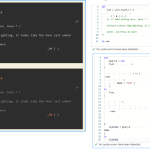 White Space before a function call is allowed Whitespace between function calls and the name are allowed. Including newlinesThese are equivalent statements: Record lookups also allow whitespace. This is totally valid syntax wise. Not necessarily morally though. Misleading Comments inside Lists, Records, and Function Calls are allowed Comments do not affect parsing or execution.Without syntax… Read more: What Not To Do: When Letting Your Code Breathe Goes Bad
 - How to Import Dates Correctly Across Culture or Locales
 Have you written a report where dates import right. But they break when ran on another machine? If you import right, you don’t have to set cultures in your report settings.
 - Capturing Metadata of your Web.Contents calls – Using REST APIs in Power Query
 Summary Any value in Power Query can store info in a metadata record. “Datasources” often have extra info. Web.Contents exposes the full request url including the Query variables, request headers, HTTP Status codes, and more. You can view the final query here: Part 1 – Capturing Response Metadata.pq or as a pbix Finding the binary… Read more: Capturing Metadata of your Web.Contents calls – Using REST APIs in Power Query
 - What’s New: May 2023: Dax Functions, and PBI FabricDax Keeps pouring out new Functions. DAX So Many New DAX functions New: MatchBy, Rank, RowNumber, LINEST, LINESTX , Index, Offset, OrderBy, PartitionBy, Window, EvaluateAndLog, ToCsv, ToJson, NetWorkDays [ from 2022-07 to 2023-06 ] new RANK and ROWNUMBER [2023-04] ORDERBY was updated [2023-04] new: INDEX, OFFSET, WINDOW [2022-12] there’s a long introduction that covers how… Read more: What’s New: May 2023: Dax Functions, and PBI Fabric
- Errors of 2023-01
 Power BI AI using PowerShellAI
 - Animations 2022-10VS Code feature WindowsTerminal Vs Code Features using multiple cursors
- Inspecting Function “subtypes” in Power Query
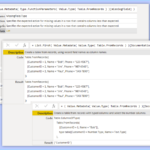 PowerQuery has metadata that you don’t normally see. For example, take the function Table.FromRecords Create a new blank query, and set the value to a function’s name. When you reference a function without arguments or parenthesis, it displays documentation. ( It’s mostly the same as the online docs ) Where does this come from? A… Read more: Inspecting Function “subtypes” in Power Query
 - Experiments of 2022-09Power BI / Power Query Things to note options is an record, when used this way it’s similar to Python’s kwargs Merging two records with update the existing fields, adding new fields, if they do not yet exist (in PowerQuery) the order of steps don’t change the final result (order of execution is the same)… Read more: Experiments of 2022-09
- Experiments of 2022-08Query to Summarize All Queries Summarize.Query.pq Using Inline Images and SVG in a Power BI Table With the column set to Image Url, you’re able to use an external image like https://www.fakeurl.com/image.png or output a svg image programmatically, by placing logic in a measure or embedded a raw a .png image into the model/report itself… Read more: Experiments of 2022-08
- Animations of 2022-07Single File With Automatic Inline Testing Addon: https://marketplace.visualstudio.com/items?itemName=pspester.pester-test Plus Error Lens
- Viewing Default Settings in VS Code
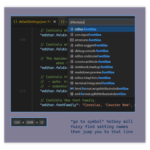 Where is the default settings.json or keybindings.json ? There isn’t one, because it’s dynamically generated. When you run run the ‘default settings’ command, it builds a new one — this means it’s always up to date. It includes settings from all enabled addons. Command Palette: The Only Hotkey You Need to Remember. Can’t remember what… Read more: Viewing Default Settings in VS Code
 - Experiments of 2022-04
 FdFind, Ansi Colors with Group-Object Using wt‘s Parameters Nested Formatting in Powershell CLI bat to preview results Regex Lazy vs Greedy Expressions Using CSS Selectors Autocomplete changes based on the first Argument Parsing Stdout Whitespace Using Format-ControlChar Grouping On Errors Type Resolution Is Scoped
 - How Do I Get Started with Power Apps? With Cheat SheetsThe Documentation Is Great Check out the examples for Filter , you can experiment without configuring a data source Top Level, New To Apps entry point: https://docs.microsoft.com/en-us/powerapps/maker/canvas-apps/ Sample Data Without a Data Source – Declaring Inline Tables Step1: Choose Insert -> Button. Step2: Set the button’s OnSelect property to this. Step3: Alt left click the… Read more: How Do I Get Started with Power Apps? With Cheat Sheets
- Experiments / Answers of 2022-02File Selection CLI Revisiting BASH See more Detect Valid Values for gh –json — then Fzf filter them PowerApps: Visualize filter in Queries Is there a way to add columns Programically to many queries? Labeled Summary of all queries VS Code Syntax Highlighting when $null + 3 + 3 = 12 Random Power Query Power… Read more: Experiments / Answers of 2022-02
- Experiments of 2021-10
 Experiments: DAX, Pwsh, VS Code
 - Run DAX in Your Browser: SQL-BI.com has a DAX Web App | What’s New
 Dax Web App ( From sqlbi.com )
 - Word Wrapping Text in Power Query
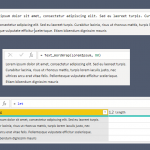 Word wrapping text using
List.AccumulateandOccurrence.Last - Power Query Custom Functions – Cheat Sheet
 Declaring
optional parametersin custom functions, combine multipleWeb.Contentsqueries, without refresh errors. UsingHtml.Tablewith customCSS Selectors - Big List of Cheat sheets and ReferencesWeb Technologies, Specs, Programming, and Configuration